
Download Argo Books
Get started for free. No account required.
Windows
For Windows 10 and later
V.2.0.22
macOS
For macOS 14 Sonoma and later
V.2.0.22
Linux
Ubuntu, Debian, Fedora & more (AppImage)
V.2.0.22
Also available from

macOS, with Homebrew
Your download is starting
Opening Argo Books on Windows
Windows may warn you because Argo Books is a newer app. After the download finishes, here is the last step to open it:
-
Open the installer. If Windows shows "Windows protected your PC", click More info, then Run anyway.

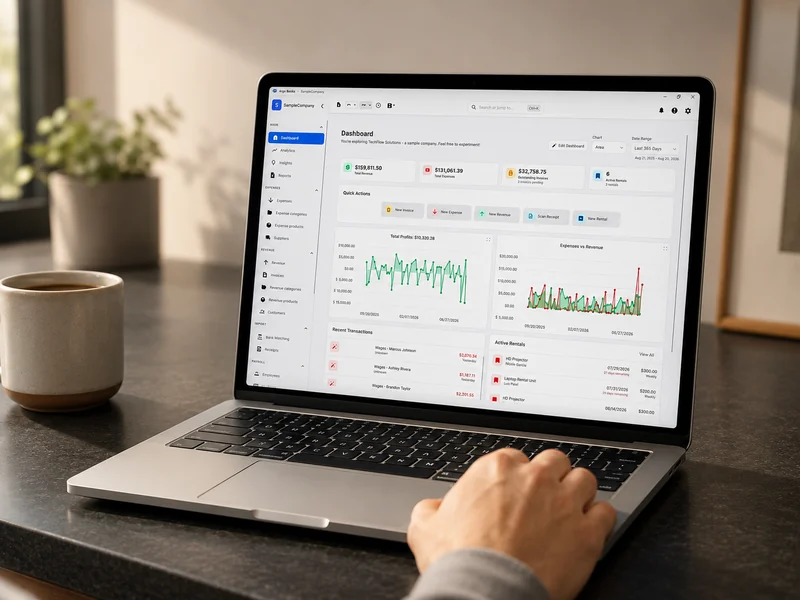
What you get
Argo Books opens straight onto your dashboard: revenue, expenses, profit and everything still outstanding, in one place. There is no account to create and no trial clock. Install it, open it, and your books stay on your computer.
System Requirements
Windows
- Windows 10 or later (64-bit)
- 4 GB RAM minimum
- 500 MB available disk space
- 1280x720 screen resolution or higher
macOS
- macOS 14 Sonoma or later
- Apple Silicon or Intel processor
- 4 GB RAM minimum
- 500 MB available disk space
- 1280x720 screen resolution or higher
Linux
- Ubuntu 22.04+, Debian 12+, Fedora 42+, or equivalent
- 64-bit processor
- 4 GB RAM minimum
- 500 MB available disk space
- 1280x720 screen resolution or higher
Looking for older versions?
Access previous releases of Argo Books for compatibility or testing purposes.
View older versionsNeed help getting started?
Check out our documentation for installation guides and tutorials.
View documentation